
EduRecording Update Notice (v13.88) — Text Message Service Overhaul, Missed Calls, Manggo Messenger
2026-09-07 · 조회 57 · 댓글 0
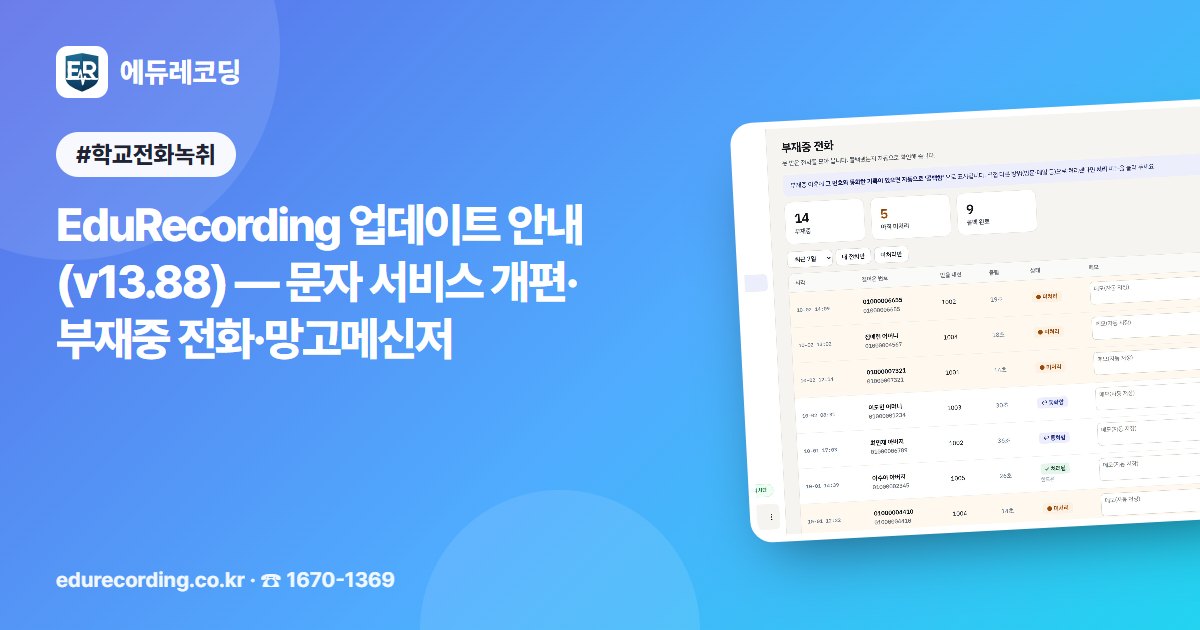
New features have been added to the EduRecording on-premises version. The program updates automatically, so there is nothing for you to download.
━━━━━━━━━━━━━━━━━━━━━━━━━━━━━━━
■ Text Messaging Service (the biggest change)
━━━━━━━━━━━━━━━━━━━━━━━━━━━━━━━
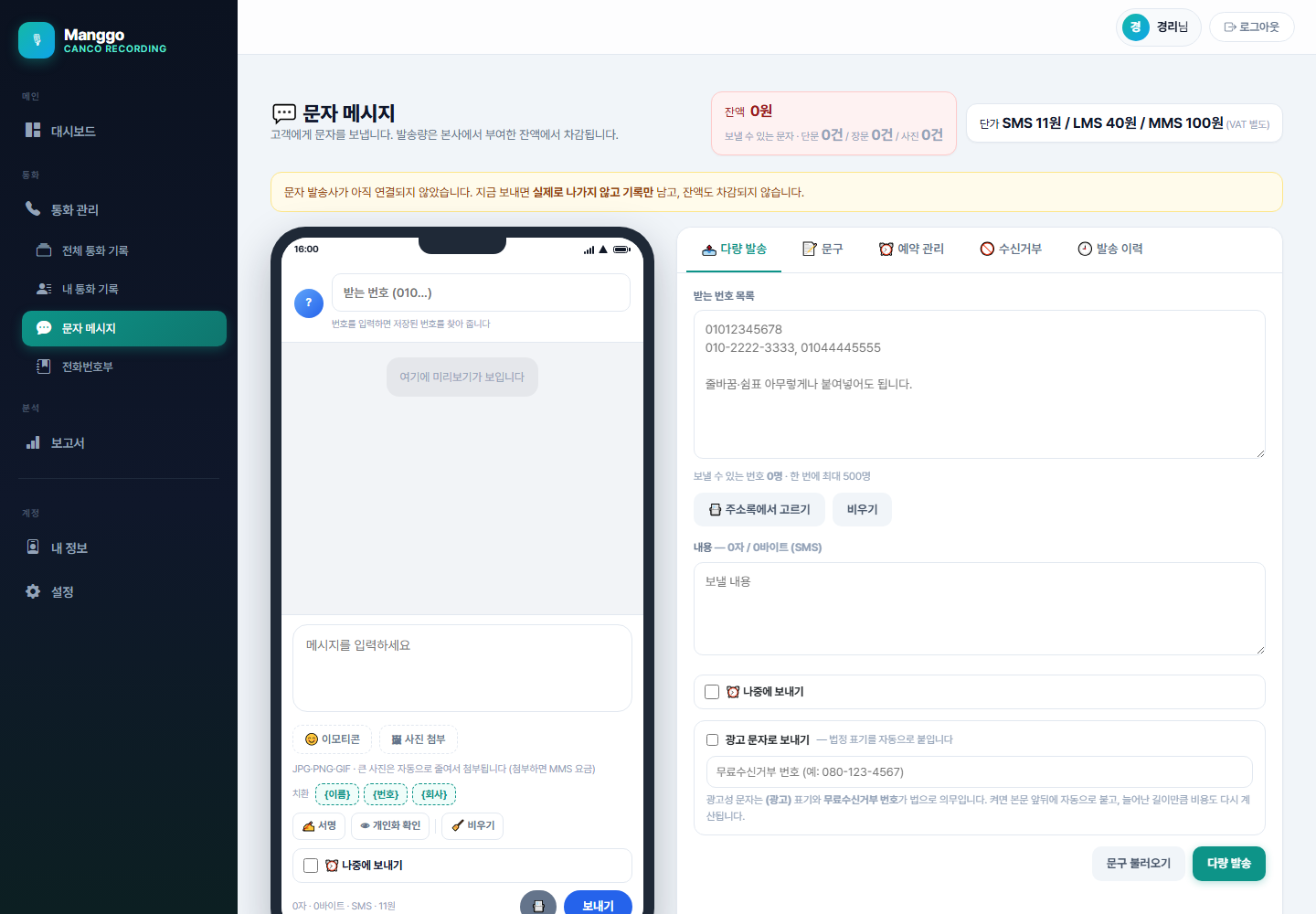
▷ Use your existing address book as it is
Upload the Excel or CSV file you already use, and names, numbers, and departments are read automatically. No need to enter them again.
▷ Select by department or organization in one step
Groups are created automatically from the department column of your address book. Click a group name to select everyone in that department. You can combine multiple departments, and save frequently used combinations as 'My Groups'.
▷ Photos are resized automatically
Previously, attachments over 300KB could not be sent. Now you can add photos straight from your phone, and they are automatically resized to fit the requirements before sending.
▷ See the sending progress
When sending to many people, each recipient gets their own row. You can see at a glance who received the message and who failed.
▷ We check before you send
Before sending, we show you the number of recipients, duplicates removed, opt-outs removed, message type and fee, and your remaining balance. We also flag words that carriers may block and missing advertising labels in advance.
▷ Scheduling is easier
Just check 'Send later' on the sending screen to schedule a message. In 'Scheduled Messages', you can edit the time, content, and recipients of any schedule you have set.
▷ And more
Automatic signature / Preview of how the message looks for each person / Auto-save of unfinished drafts / Resend from history / Export history to Excel / Emoticon button
━━━━━━━━━━━━━━━━━━━━━━━━━━━━━━━
■ The text message service is coming soon
━━━━━━━━━━━━━━━━━━━━━━━━━━━━━━━
You can preview the screens and features now. You can also upload your address book or create frequently used messages in advance.
However, actual sending is not yet available. Once activation is ready, we will notify you again on the program notice screen, together with the fees and how to apply.
Contact: Customer Center 1670-1369
━━━━━━━━━━━━━━━━━━━━━━━━━━━━━━━
■ CANCO Reply Message
━━━━━━━━━━━━━━━━━━━━━━━━━━━━━━━
When a call ends, a preset text message is sent automatically to the other party. Use it for post-consultation notices, booking confirmations, thank-you messages, and more.
If you add {name} {number} {company} to the message, it is customized for each person. If you add {survey}, a star-rating survey link is attached.
This opens together with the text message service. We will let you know again when it is ready.
━━━━━━━━━━━━━━━━━━━━━━━━━━━━━━━
■ New screens
━━━━━━━━━━━━━━━━━━━━━━━━━━━━━━━
▷ Missed calls ('Missed' at the top)
Previously, calls you didn't answer left no record anywhere. Now it records who called and when, and if you later spoke with that number, it is automatically marked 'Called back'. You can also leave a note on each call.
▷ Call statistics ('Statistics' at the top)
See incoming calls, outgoing calls, missed calls, and average call time by extension. You can also see when you are busiest by time of day and day of the week.
▷ Quick menu on the right
A collapsible menu now appears on the right side of the screen. It includes today's call count, the number of missed calls not yet handled, shortcuts to frequently used screens, program download, and the customer center number. You can also open and close it with Alt+Q.
▷ And more
Share recordings by link (set a period, cancel anytime) / Mark important or caution customers / Live board of extensions on calls / Alerts to administrators only when sensitive words appear
━━━━━━━━━━━━━━━━━━━━━━━━━━━━━━━
■ Call Popup (show caller info on screen when a call comes in)
━━━━━━━━━━━━━━━━━━━━━━━━━━━━━━━

Just log in and use it at any desk. There is no need to edit configuration files.
And **only your own calls appear.** Previously, calls for the whole office showed up on every PC, which was inconvenient. Now only calls to your own extension appear.
Download it from 'Download Program' in the quick menu on the right.
━━━━━━━━━━━━━━━━━━━━━━━━━━━━━━━
■ Manggo Messenger (new program)
━━━━━━━━━━━━━━━━━━━━━━━━━━━━━━━

A messenger for staff within the same organization. Log in with the same ID and password as the website.
· 1:1 chats and group chat rooms
· Send and receive files and photos (up to 50MB at a time)
· Read receipts — see how many people haven't read a message
· Search past conversations
· Call notifications are built in, so you don't need to install Call Popup separately
Conversations are stored on a central server and are not kept on your PC. Even if you change seats, your past conversations remain visible.
Connecting outside your organization or with other organizations requires a separate API license.
━━━━━━━━━━━━━━━━━━━━━━━━━━━━━━━
■ Stability
━━━━━━━━━━━━━━━━━━━━━━━━━━━━━━━
If no one logged in to Windows after a computer restart, call recording could stay paused for up to an hour. Now the system recovers on its own within a few minutes after a reboot, even without anyone logging in.
━━━━━━━━━━━━━━━━━━━━━━━━━━━━━━━
Contact: Customer Center 1670-1369
Share this post
Inquiries & Consultation
Contact Us
Comments 0
Be the first to leave a comment.